 Photo Manipulate an Eerie Smoke Ship Composition
 Photo Manipulate a Cute Flying Pig Scene
 Basic Tutorial: Create a Stylized Valentines Poster
Have every post delivered to your inbox and get access to hundreds of useful design freebies.
Today I have a quick video tip for you.
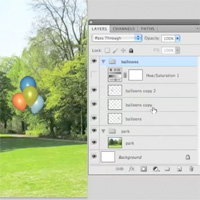
Have you ever struggled when working with adjustment layers, and needed to make one set of adjustments effect a range of multiple layers (but not your entire canvas)?
This is an issue that used to really frustrate me, and I know some of you still struggle with this same problem.
Check out the short video below and I’ll walk you through how to apply a single adjustment layer to multiple layers (but not your entire document).

Tom is the founder of PSDFAN. He loves writing tutorials, learning more about design and interacting with the community. On a more interesting note he can also play guitar hero drunk with his teeth.


Do you know the basic tools in Photoshop but feel that your work is still looking average? Join our creative community at FanExtra and get the direction you need to take your work to the next level.


Well, what do you know! I had read something about changing that ‘Pass Through’ mode for printing. I don’t recall much except that you should not leave that mode in place if you are going to print the doc/image.
I want to try this! I’ve had several situations where changing it changed more than just the group. I’ve always used ‘Shift’, ‘Ctrl’, ‘Alt’ and ‘E’ to get a composite of the layers in the group, then, applied the effects to that. That, too, is limited, tho. Cool!
Thank you!
Su
Very helpful. There are many attempts to answer this question on the web. This one gets it right.