
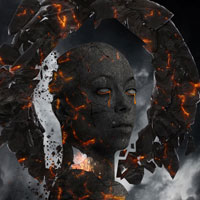
 Members Area Tutorial: Photo Manipulate a Floating, Burning Stone Monument
 Members Area Tutorial: Photo Manipulate a Complex Surrogate Scene
 Create a Colorful Out of Frame Animal Composition
Have every post delivered to your inbox and get access to hundreds of useful design freebies.
In this tutorial I’ll show you how to create a magical pond scene with a lovely cat. You will know through step by step how to blend various stock images together, paint natural looking cat hair, retouch a dull photo, use brushes, masking, adjust colors, work with lighting and different kinds of shadow and more.
As always, this is the final image that we’ll be creating:

Open pond stock. I save it under another name and resize it to be a bit smaller. Open pond original stock again. Cut out the lily pads and move into our document, place at the left part of the bottom, near foreground:


Choose Edit-Transform-Flip Horizontal:

Add layer mask and use hard black brush (hardness 95-100%) to remove some pads as shown below :

Name this layer as “pads 1″.
Copy a pad from pond stock and place it inside the ripple to hide a fish there. Also use layer mask to erase unwanted part (remember to use hard brush):


Name it as “pads 2″.
Copy all the pads again and place them to hide some fishes on nearer foreground, resize them to be smaller. Use layer mask to clear unecessary parts (with hard brush as usual):


Call it “pads 3″.
Create a new layer (Cmd/Ctrl+Shift+N). Hit S to active Clone Stamp Tool and remember to check “Sample All Layers” on property bar. Clone over the part of a fish which look toward to the viewers (you can turn off pads layers to make this step easier):

Open boat stock pack. I choose this one and it has a transparent background so move it (Move Tool -V) into our document and position it at the center, resize and transform it a bit (use combine Cmd/Ctrl+T). You can see I made it a bit bigger in width:


Thank you for reading this tutorial, I hope that you enjoyed it. If you want to view my other arts and tutorials you can look at my Deviantart page or follow me on Facebook.


Do you know the basic tools in Photoshop but feel that your work is still looking average? Join our creative community at FanExtra and get the direction you need to take your work to the next level.


Leave a comment
0 Comments:
No comments have been posted yet. Be the first!