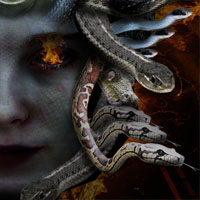
Creating Medusa With Photo Manipulation
This tutorial will teach you how to create the piece ‘Medusa’ using a range of techniques including photo manipulation. Download the source file for this and all our other tutorials in our VIP Members Area.





Tom is the founder of PSDFAN. He loves writing tutorials, learning more about design and interacting with the community. On a more interesting note he can also play guitar hero drunk with his teeth.
This tutorial will teach you how to create the piece ‘Medusa’ using a range of techniques including photo manipulation. Download the source file for this and all our other tutorials in our VIP Members Area.

This post is just a quick update (OK a rather lengthy one) looking back on the past 2 months that PSDFAN has existed. More updates coming later today.

This tutorial will teach you how to create the effect of a face being shattered to achieve a pretty cool graphic. It will show you how to achieve a soft, painted effect, as well as how to apply brushes/patterns in creative ways. Download the source file for this and all our other tutorials in our VIP Members Area.

This free texture set includes 10 very high-res stone textures for you to use in your designs.
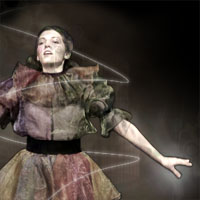
In this tutorial we’ll be isolating an object from it’s background, and then applying various lighting/texturing effects to different parts of the image to create the piece ‘Smokey Dancer’. Download the source file for this and all our other tutorials in our VIP Members Area.


Do you know the basic tools in Photoshop but feel that your work is still looking average? Join our creative community at FanExtra and get the direction you need to take your work to the next level.

