PSDFan Extra

Photo Effects:

Create a Terrifying Surreal Photo Manipulation

Create a Terrifying Surreal Photo Manipulation

By Tom Ross, 6th May, 2010, 12 Comments

(Photo Effects - Tutorials)

Learn how to use professional photo manipulation techniques to create a non-destructive, surreal piece. You will learn how to work with complex masks, adjustment layers and integrate textures into a unique design. Download the source file for this and all our other tutorials in our VIP Members Area.


Read more...

Take 10 Years Off a Male Portrait Via Photo Retouching

Take 10 Years Off a Male Portrait Via Photo Retouching

By Tom Ross, 14th June, 2010, 12 Comments

(Photo Effects - Tutorials)

Learn how to use a variety of professional retouching techniques such as various healing brushes, the liquify tool, adjustment layers and more in order to take off 10 years from a male photographic subject. Download the source file for this and all our other tutorials in our VIP Members Area.
Read more...

Photo Manipulate a Surreal Sky Station Scene

Photo Manipulate a Surreal Sky Station Scene

By Jenny Le, 23rd December, 2011, 11 Comments

(Photo Effects - Tutorials)

Learn how to create the surreal photo manipulation ‘The Sky Station’. You’ll work with photo manipulating, retouching, masking, brush work, coloring and more. Download the source file for this and all our other tutorials in our FanExtra Members Area

Read more...

Create a Dark, Mysterious Photo Manipulation

Create a Dark, Mysterious Photo Manipulation

By Bunty Pundir, 9th March, 2015, 11 Comments

(Photo Effects - Tutorials)

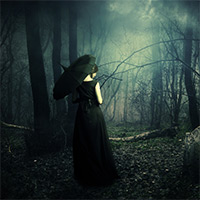
Today’s tutorial will walk you through some essential manipulation, blending and colour matching techniques. In this lesson I’ll show you how you can convert a forest into a dark, foggy, ominous scene. You’ll learn how to work with shadows, lighting, adjustment layers, layer masks, dodge & burning and much more.

Read more...

Creating the Alluring Photo-Manipulation ‘Lust’

Creating the Alluring Photo-Manipulation ‘Lust’

By Tom Ross, 25th May, 2011, 10 Comments

(Photo Effects - Tutorials)

Learn how to create the alluring photo-manipulation ‘lust’, using a combination of advanced blending techniques, adjustment layers, masking and lighting effects. This is Part 3 of 7 of our 7 Deadly Sins post series! Download the source file for this and all our other tutorials in our FanExtra Members Area

Read more...

Your Design Work, But More Awesome:

Do you know the basic tools in Photoshop but feel that your work is still looking average? Join our creative community at FanExtra and get the direction you need to take your work to the next level.

JOIN OUR FANEXTRA COMMUNITY TODAY
