PSDFan Extra

Designing:

Create an Intensely Grungy Wallpaper

Create an Intensely Grungy Wallpaper

By Tom Ross, 10th November, 2008, 37 Comments

(Designing - Tutorials)

To celebrate the launch of our new wallpaper section I decided to do a tutorial on how to create a grungy wallpaper. The tutorial utilizes several techniques such as the mask tool and integrating textures and patterns into your work. Download the source file for this and all our other tutorials in our VIP Members Area.

Read more...

Design a Futuristic Athlete Graphic

Design a Futuristic Athlete Graphic

By Tom Ross, 18th February, 2009, 30 Comments

(Designing - Tutorials)

Learn how to create a futuristic athlete graphic using a combination of layer masks, brushes, the pen tool and various blending options. Download the source file for this and all our other tutorials in our VIP Members Area.

Read more...

Display Your Photos Within a Professional Advert

Display Your Photos Within a Professional Advert

By Tom Ross, 29th July, 2008, 29 Comments

(Designing - Tutorials)

This tutorial will teach you how to create your own polaroids and use them to display your photos in a creative, professional manner. Download the source file for this and all our other tutorials in our VIP Members Area.
Read more...

Zombify Your Photos in Less Than 20 Steps

Zombify Your Photos in Less Than 20 Steps

By Tom Ross, 2nd November, 2008, 29 Comments

(Designing - Tutorials)

This tutorial teaches you how to turn an ordinary photo into a terrifying zombie image, all in less than 20 steps. Download the source file for this and all our other tutorials in our VIP Members Area.

Read more...

Design a Retro Summer Poster Illustration

Design a Retro Summer Poster Illustration

By Tom Ross, 19th July, 2008, 28 Comments

(Designing - Tutorials)

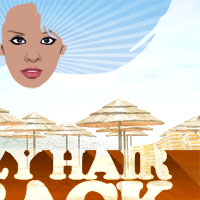
This tutorial will cover some really cool illustration techniques, exploring Photoshop’s vector capabilities as well as playing with textures and selection methods. Download the source file for this and all our other tutorials in our VIP Members Area.

Read more...

Your Design Work, But More Awesome:

Do you know the basic tools in Photoshop but feel that your work is still looking average? Join our creative community at FanExtra and get the direction you need to take your work to the next level.

JOIN OUR FANEXTRA COMMUNITY TODAY