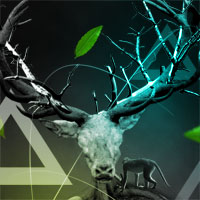
Create a Surreal Photo Manip
This tutorial teaches you how to combine various photos into a very surreal photo manipulation. Download the source file for this and all our other tutorials in our VIP Members Area.
This tutorial teaches you how to combine various photos into a very surreal photo manipulation. Download the source file for this and all our other tutorials in our VIP Members Area.
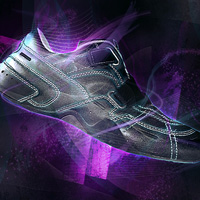
Learn how to create a professional product shot, using a full walkthrough of stunning lighting effects. You’ll learn to build up multiple lighting aspects to form an impressive composition. Download the source file for this and all our other tutorials in our FanExtra Members Area

Learn how to create a dark, surreal photo manipulation using professional blending techniques, lighting, adjustments, masking and more. Download the source file for this and all our other tutorials in our FanExtra Members Area

This tutorial will teach you how to add flames to your images. I’ll be discussing a number of techniques that will help you to keep your fiery images looking realistic, not just intense. Download the source file for this and all our other tutorials in our VIP Members Area.

This tutorial will show you what’s capable using paths. Paths are a really flexible way to achieve a variety of outcomes, yet can tend to be overlooked by the average Photoshop user. Download the source file for this and all our other tutorials in our VIP Members Area.


Do you know the basic tools in Photoshop but feel that your work is still looking average? Join our creative community at FanExtra and get the direction you need to take your work to the next level.

