PSDFan Extra

  • FanExtra Network
  • PSDFan Extra
  • BlogsFan Extra

Basics / Tools:

5 Incredibly Useful Non-Destructive Photoshop Techniques

5 Incredibly Useful Non-Destructive Photoshop Techniques

By Tom, 17th February, 2012, 39 Comments

(Basics / Tools - Tutorials)

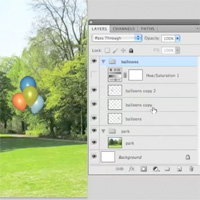
Achieving a non-destructive workflow in Photoshop is hugely important, yet can be overlooked by even some advanced designers. Today we look over 5 super useful techniques to keep your work non-destructive, giving you much more creative freedom.

Read more...

Complete Guide to Photo Sharpening in Photoshop

Complete Guide to Photo Sharpening in Photoshop

By Daniel Meadows, 28th October, 2011, 6 Comments

(Basics / Tools - Tutorials)

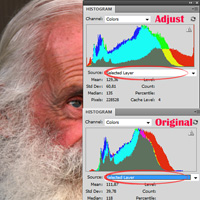
Learn how to correctly sharpen your photos using Photoshop, by mastering the high pass filter, and the apply image method. Download the source file for this and all our other tutorials in our FanExtra Members Area

Read more...

Master a Professional Photo Retouching Workflow

Master a Professional Photo Retouching Workflow

By Daniel Meadows, 18th July, 2011, 13 Comments

(Basics / Tools - Tutorials)

Today, rather than looking at specific retouching techniques, you will learn a full, professional photo retouching workflow. Learn how to retouch photos like the pros!

Read more...

Professional Retouching Tutorial: Using Curves in Photoshop (Part 3)

Professional Retouching Tutorial: Using Curves in Photoshop (Part 3)

By Daniel Meadows, 26th September, 2011, 15 Comments

(Basics / Tools - Tutorials)

Learn the theory behind Photoshop curves, and how to use them to create magazine-style professional photos. You will learn how to manipulate highlights and shadows, as well as alter specific colors within your image. Download the source file for this and all our other tutorials in our VIP Members Area.

Read more...

Professional Retouching Tutorial: Dodge and Burn (Part 2)

Professional Retouching Tutorial: Dodge and Burn (Part 2)

By Daniel Meadows, 31st August, 2011, 22 Comments

(Basics / Tools - Tutorials)

In this Part 2 (of two) you will learn how to dodge and burn your photos in a unique but professional way, creating a super smooth skin surface. We look at the theory behind these techniques, and why it’s worth spending the extra time on your retouching process!

Read more...

FanExtra Membership

Join our FanExtra membership community today expand your learning. Just $9 for access to advanced members-only tutorials and thousands of design resources.

Learn more & Signup Login

Write For Us:

Are you a talented writer or designer? We’re always on the look out for quality authors, and we pay great money for any articles or tutorials accepted! Please get in touch if you’d like to join the FanExtra team.