PSDFan Extra

Tutorials:

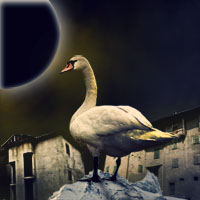
Photo Manipulate a Surreal Space-Age Landscape

Photo Manipulate a Surreal Space-Age Landscape

By Tom Ross, 9th July, 2010, 9 Comments

(Photo Effects - Tutorials)

Learn how to combine various photographic elements into a cohesive, surreal space-age scene. You will learn how to work with lighting, blending options, and adjustment layers. Download the source file for this and all our other tutorials in our VIP Members Area.

Read more...

Digital Painting Lesson: Monkey Island 2: LeChuck’s Revenge Special Edition

Digital Painting Lesson: Monkey Island 2: LeChuck’s Revenge Special Edition

By David Cousens, 9th July, 2012, 23 Comments

(Drawing - Tutorials)

A super advanced tutorial demonstrating professional standard digital painting techniques for the piece ‘Monkey Island 2: LeChuck’s Revenge Special Edition’. David Cousens walks you through the construction process in amazing detail. Download the source file for this and all our other tutorials in our VIP Members Area.

Read more...

Apply a Quick & Easy Vintage Photo Effect

Apply a Quick & Easy Vintage Photo Effect

By Tom Ross, 25th June, 2010, 9 Comments

(Photo Effects - Tutorials)

Learn how to work with softening techniques, blending options and adjustment layers in order to turn ordinary photos into vintage spectacles! Download the source file for this and all our other tutorials in our VIP Members Area.

Read more...

Members Area Tutorial: Design a Frightening, Textured Photo Manipulation

Members Area Tutorial: Design a Frightening, Textured Photo Manipulation

By Tom Ross, 16th June, 2010, 4 Comments

(Members Content - Photo Effects)

This tutorial is available exclusively to members of the PSDFAN VIP area. Learn how to create a unique lighting effect, and then photo-manipulate various images into a frightening composition. Sign up today to access the tutorial and download it’s source file.

Read more...

Take 10 Years Off a Male Portrait Via Photo Retouching

Take 10 Years Off a Male Portrait Via Photo Retouching

By Tom Ross, 14th June, 2010, 12 Comments

(Photo Effects - Tutorials)

Learn how to use a variety of professional retouching techniques such as various healing brushes, the liquify tool, adjustment layers and more in order to take off 10 years from a male photographic subject. Download the source file for this and all our other tutorials in our VIP Members Area.

Read more...

Your Design Work, But More Awesome:

Do you know the basic tools in Photoshop but feel that your work is still looking average? Join our creative community at FanExtra and get the direction you need to take your work to the next level.

JOIN OUR FANEXTRA COMMUNITY TODAY
