PSDFan Extra

Tutorials:

Create Unique Sports-Themed Lettering

Create Unique Sports-Themed Lettering

By Tom Ross, 31st August, 2010, 6 Comments

(Text Effects - Tutorials)

Learn how to construct a unique text effect out of sports balls, working them into a complex composition. You’ll learn how to work with lighting effects, including the dodge/burn tools and how to integrate depth into your piece! Download the source file for this and all our other tutorials in our VIP Members Area.

Read more...

Professional Retouching Tutorial: Dodge and Burn (Part 2)

Professional Retouching Tutorial: Dodge and Burn (Part 2)

By Daniel Meadows, 8th October, 2012, 29 Comments

(Basics / Tools - Tutorials)

In this Part 2 (of two) you will learn how to dodge and burn your photos in a unique but professional way, creating a super smooth skin surface. We look at the theory behind these techniques, and why it’s worth spending the extra time on your retouching process!

Read more...

Professional Retouching Tutorial: Healing (Part 1)

Professional Retouching Tutorial: Healing (Part 1)

By Daniel Meadows, 1st October, 2012, 25 Comments

(Basics / Tools - Tutorials)

In this Part 1 (of two) you will learn how to heal your photos, removing any unwanted blemishes. Crucially, we look at the theory behind photo retouching, and why subtlety is key!

Read more...

Create an Atmospheric Under-Water Text Effect

Create an Atmospheric Under-Water Text Effect

By Tom Ross, 11th August, 2010, 16 Comments

(Text Effects - Tutorials)

Learn how to create an atmospheric underwater text effect using a few simple steps. You will learn how to properly extract water, and manipulate it to fit your typography. Download the source file for this and all our other tutorials in our VIP Members Area.

Read more...

Members Area Tutorial: Design a Last Airbender Inspired Photo Manipulation

Members Area Tutorial: Design a Last Airbender Inspired Photo Manipulation

By Tom Ross, 9th August, 2010, 4 Comments

(Members Content - Photo Effects)

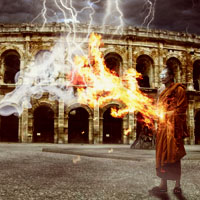
This tutorial is available exclusively to members of the PSDFAN VIP area. Learn how to create a dramatic movie-inspired theme, by smoothly blending several photographic elements, and creating an awesome lighting effect. Sign up today to access the tutorial and download it’s source file.

Read more...

Your Design Work, But More Awesome:

Do you know the basic tools in Photoshop but feel that your work is still looking average? Join our creative community at FanExtra and get the direction you need to take your work to the next level.

JOIN OUR FANEXTRA COMMUNITY TODAY