
5 More Incredibly Useful Non-Destructive Photoshop Techniques
Today we share 5 more non-destructive Photoshop techniques. These are great for improving your workflow and make your Photoshop work totally editable.
Today we share 5 more non-destructive Photoshop techniques. These are great for improving your workflow and make your Photoshop work totally editable.
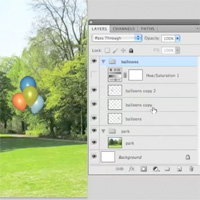
Today’s tutorial is a quick video tip. Ever wanted to know how to ensure that an adjustment layer only effects specific, but multiple layers of your document, rather than a single layer or your entire canvas?

(Icon Design - Members Content)
Learn how to design an old tv icon in this advanced vector icon tutorial. You’ll learn the basics of icon design in a professional workflow. Sign up today to access the full tutorial and download it’s source file.

This tutorial is available exclusively to members of the FanExtra Members area. Learn how to create a grungy rock poster using totally non-destructive workflows. You’ll work with complex masking, blending, and learn to layer up a series of textures, patterns, shapes and more to create a rich, complex composition! Sign up today to access the tutorial and download it’s source file.

Learn how to create a fiery mixed media tiger composition in Photoshop. You’ll work with brushes, photo manipulation, lighting and texture application. Download the source file for this and all our other tutorials in our FanExtra Members Area


Do you know the basic tools in Photoshop but feel that your work is still looking average? Join our creative community at FanExtra and get the direction you need to take your work to the next level.

