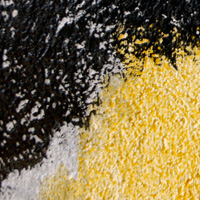
Texture Thursday: Pooh
This week’s Texture Thursday offers 4 super high-res Pooh textures, free to use in your own designs.
This week’s Texture Thursday offers 4 super high-res Pooh textures, free to use in your own designs.

(Members Content - Photo Effects)
Learn how to create a dark photo manipulation using the new features available in Photoshop CS6. This comprehensive tutorial will teach you the basics of new Photoshop CS6 features, as well as advanced manipulation techniques. Sign up today to access the tutorial and download it’s source file.

(Articles - Inspiration)
Today we feature the work of Billelis’s, an awesome unique digital artist from the UK. Billelis’s work often features abstract shapes, complex lighting and typography.

Learn how to create a print ready brochure for a finance related company. You’ll learn professional print specifications to work within, and well as how to create a cool graph inspired background design. Download the source file for this and all our other tutorials in our FanExtra Members Area

Learn how to design a really creative collage using Photoshop. You’ll work with a variety of photo manipulation techniques, as well as learning composition tips to create this type of collage effect. Download the source file for this and all our other tutorials in our FanExtra Members Area


Do you know the basic tools in Photoshop but feel that your work is still looking average? Join our creative community at FanExtra and get the direction you need to take your work to the next level.

